 Rusti.Red
 HVAC business software Signed on site, paid before the truck leaves
Built for residential shops, Rusti.Red runs every job from the first call to the review. Reminders and follow-ups go out on their own, so the paperwork doesn't follow you home.
From $45 a month with every feature. Month to month.
How a job runs
From the first call to the review, each step sets up the next.
Booked while you work
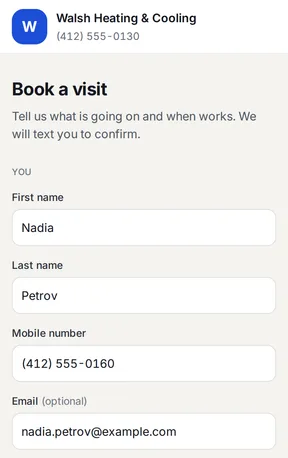
Homeowners request a visit at any hour, on a booking page in your name and colors. The office picks the day, window, and tech, and the confirmation goes out.
On the way, and they know it
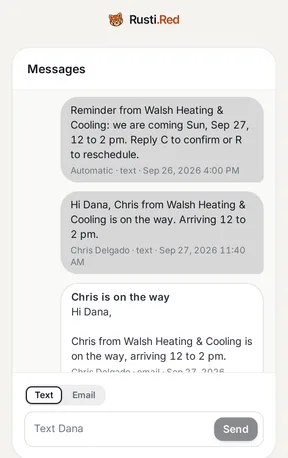
A reminder the day before, then an on-my-way message with the tech's first name and arrival window, so they're home when the truck pulls up.
Estimates signed on site
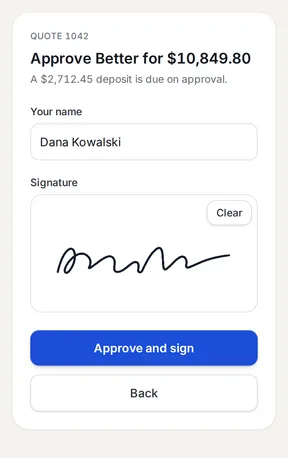
Build good, better, best from your price book at the unit. They sign on your phone or theirs, before they call anyone else.
Deposit on the spot
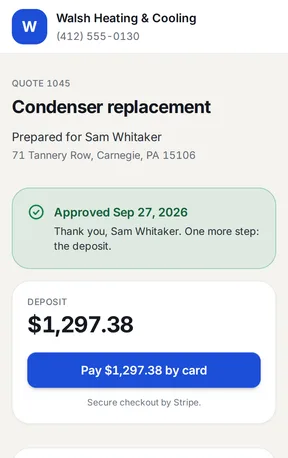
Approving a replacement creates the deposit invoice. They pay by card or check right there, and the install is ready to book.
Paid before the truck leaves
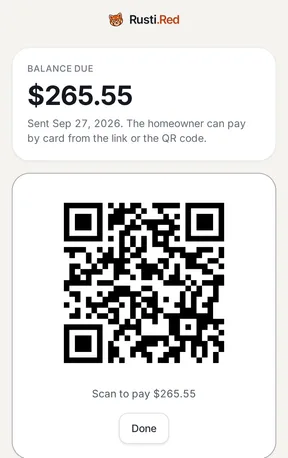
Tap Complete and the invoice goes out, payable by card from a link or QR code once Stripe is connected. Reminders on days 3, 7, and 14 chase anything unpaid.
Reviews and repeat work
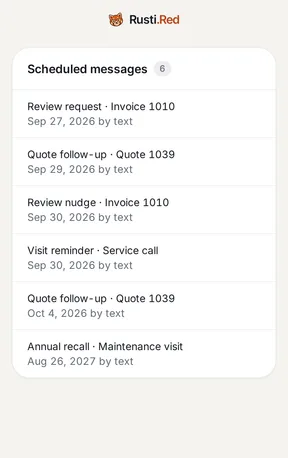
Two hours after the invoice is paid, a review request goes out while the job is fresh. Eleven months later, a recall invites them back for a tune-up.


The whole shop at a glance
See where every quote, invoice, and visit stands without calling anyone.
See what needs you
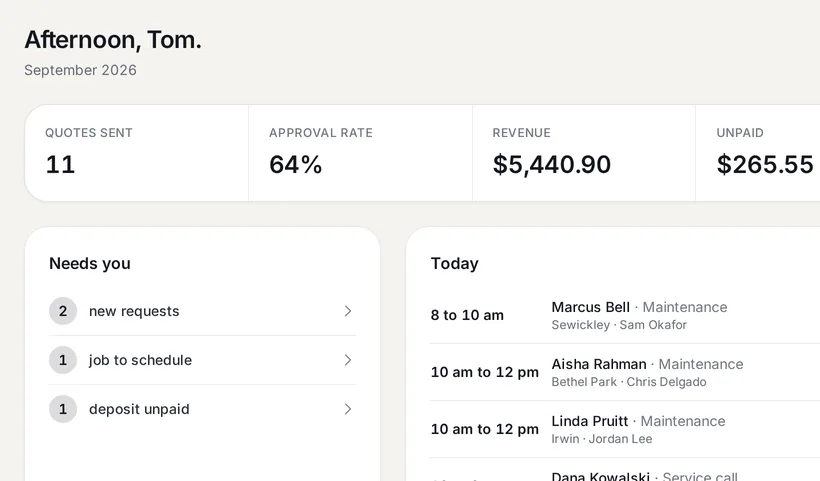
The dashboard opens on five numbers: quotes sent, approval rate, revenue, what is unpaid, and this week's jobs. Under them, the requests, jobs, and deposits waiting on you, and today's visits by tech.

Book the week in one place
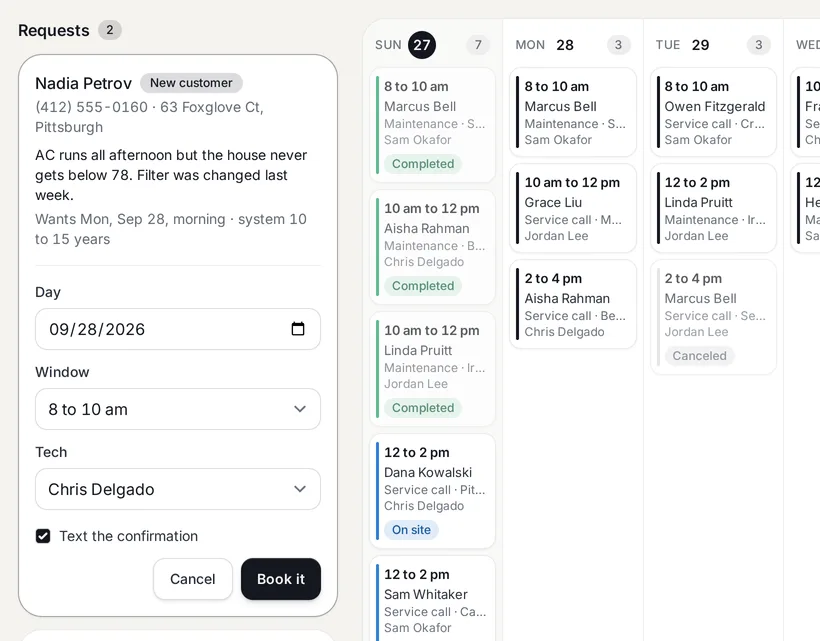
Booking requests wait beside the week with the problem and the system's age. Pick the day, window, and tech, and the confirmation goes out.

Every feature, for less
The price changes only with the number of people who log in.
| People | Rusti.Red | Jobber | Housecall Pro |
|---|---|---|---|
| Just you | $45 | $49 to $199 | $79 to $329 |
| 5 people | $139 | $199 to $499 | $189 to $329 |
| 10 people | $234 | $299 to $599 | $399 |
| 15 people | $329 | $399 to $699 | $574 |
| Each extra person | $19 | $29 | $35 |
Month-to-month prices in US dollars, as each company's pricing page listed them on September 27, 2026 for that many people, from the lowest plan to the highest. Housecall Pro lists extra users on Max only.
The headaches, handled
What gets in the way of a residential HVAC shop, and how Rusti.Red handles it.
A bigger plan for every feature?
Every feature on every plan
Follow-ups, good, better, best, review requests, recalls, and online booking are on both plans, with nothing to unlock.
No signal at the unit?
The quote still gets signed
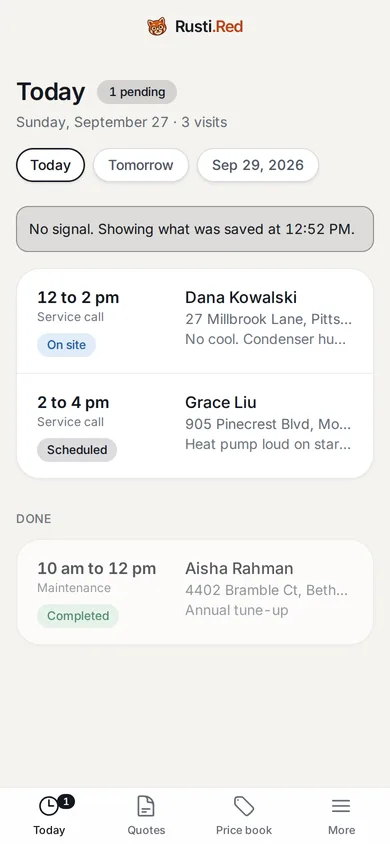
Today's jobs stay on the phone. Quotes, signatures, photos, notes, and cash or check payments wait in a queue and send when the signal is back.
Chasing quotes and invoices by hand?
Follow-ups that go out on their own
Quote follow-ups on days 2 and 7, invoice reminders on days 3, 7, and 14, and a review request after payment. From your own number once the carriers approve it, by email until then.
Software built for every trade?
Built for residential HVAC
Good, better, best replacements, a deposit invoice the moment they sign, equipment records with a data plate photo, and a recall eleven months after the job.
The truck and the office on different screens?
One app, on the phone and at the desk
The owner, the office, and every tech use the same app, fitted to their screen. Techs see their own jobs, and the office sees everything.
Weeks of setup before the first quote?
Running before your next service call
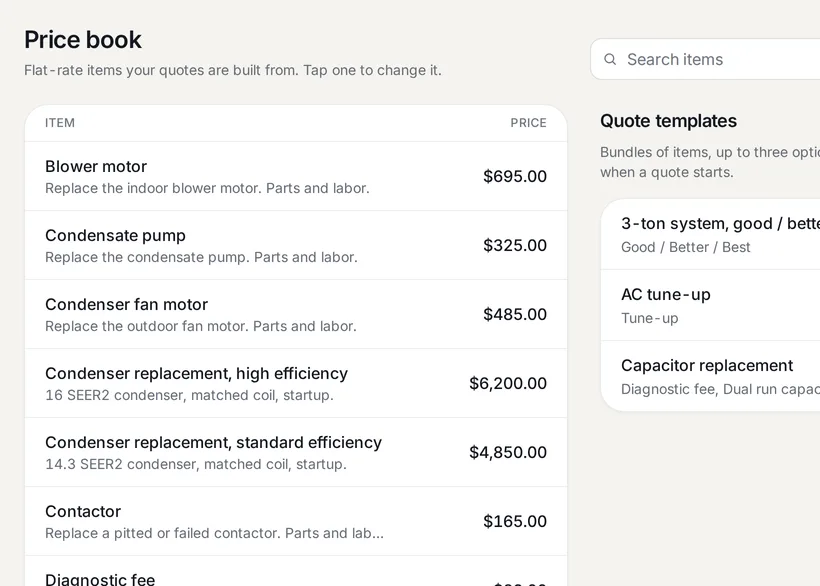
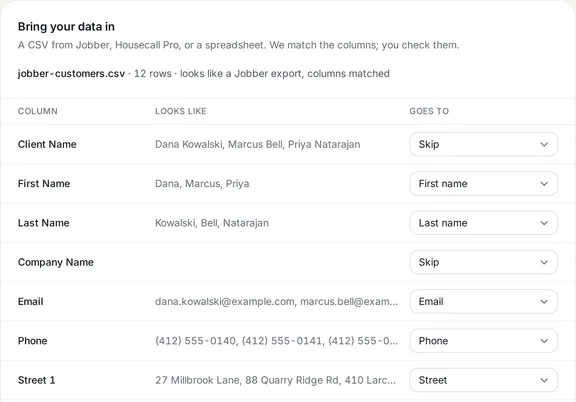
An HVAC price book and quote templates come filled in, and your customers and price book come over from a Jobber or Housecall Pro CSV. Techs join from a texted link.


Bring your customers and price book with you
Rusti.Red is an alternative to Jobber and Housecall Pro, built for residential HVAC. Your customers and price book come over as CSV files.
-
Export your customers and price book from the tool you use now, and save each as a CSV file.
-
Upload each file on the Import page, check the matched columns, and confirm.
-
Text your techs an invite. They open the link, set a password, and see their day.
-
Start new jobs here the same day. Past jobs, quotes, invoices, and payments stay in your old tool, so keep that login until its last invoice is paid.

Send your first quote today
Set up in about ten minutes, starting from an HVAC price book that's already filled in. Month to month.
Get started